
Events
Member Profiles
USA50 Official SNS
Coming soon...
Official Merchandise
Coming soon...
USA50 Groups
© USA50

Events Calendar
© USA50

Coming soon...
News
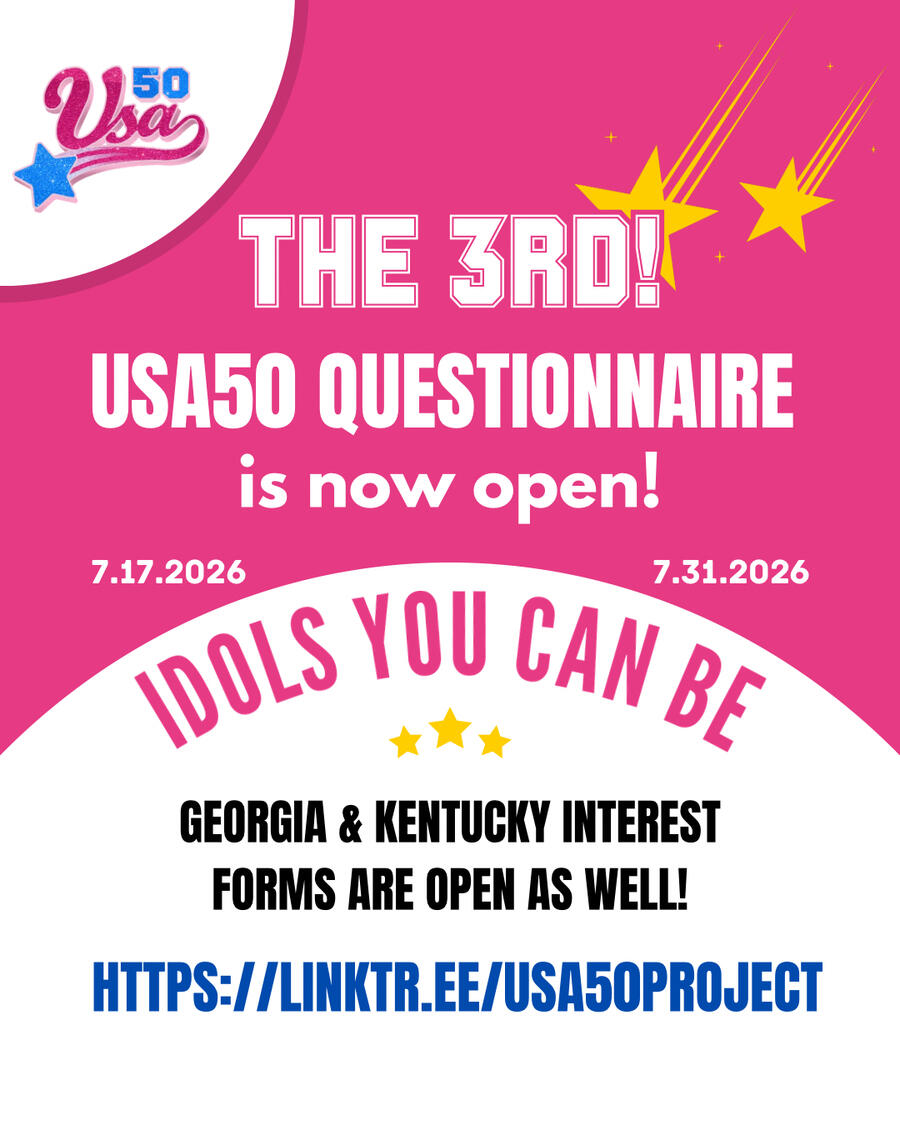
7.17.2026
- The 3rd OFFICIAL USA50 Questionnaire is NOW OPEN! Closes 7/31 @ 2 PM CST
- Georgia Interest form OPEN until 7/31
- Kentucky interest form OPEN until 7/31
© USA50

Coming soon...
Coming soon...
Coming soon...
© USA50

Text
Volunteer Today!
© USA50

Text
Coming soon...
© USA50

Text
Coming soon...
© USA50

© USA50

Events Calendar
© USA50

Events Calendar

Meet Kamryn Alyse
I've always been an ambitious person.
When I was a kid, I would create "Disney" TV show scripts in Google Docs and act them out with my sister in our living room. My cousins and I had pop-star personas we would create and sing our original songs with. My siblings and I would host dance competitions with each other at our local park. My tastes in music and media have always been theatrical and flamboyant!When I turned 9 in 2014, my sister introduced me to Vocaloid through an Elders React video. The first song we reacted to was "World is Mine" by Ryo(supercell) ft. Hatsune Miku.
What my sister didn't know, is that this would change the trajectory of my entire life.
I immediately started to deep dive into all things Vocaloid, finding producers that stuck with me until adulthood (Wonderful Opportunity, Giga, MitchieM).
Over time, I started to become very infatuated with more popular aspects of Japanese culture (Anime and J-pop most notably).On a more personal note, growing up as a black woman, there are a lot of expectations put on you even when you're young. It was, and still is taboo to be into cuter, more whimisical medias when you're black. My earlier interests in Love Live, Vocaloid, Kyary Pamyu Pamyu, and many more nerdy and unconventional medias created a sense of wonder in me.What's really possible?Once I become interested in a concept, I test the limits in order to see how far that concept can go.
I'm always thinking of the next steps I need to take in order to fulfill a vision I have. Or what solutions there are for problems I may come across. I believe anything is possible if you are educated, determined, and humble enough.
This is why I'm working hard to create opportunities for ALL people interested in working in the Music / Entertainment Industry.Anything is possible.
© USA50

Events Calendar
© USA50

Events Calendar
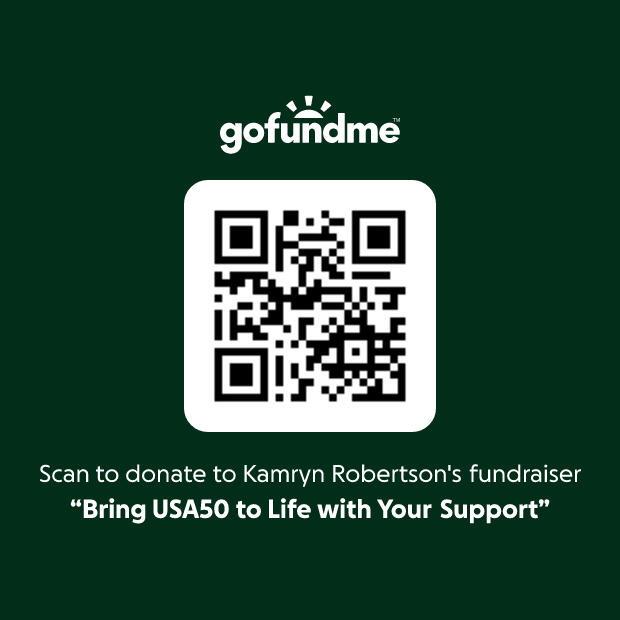
ALL EARNINGS will be invested into the USA50 Project.
Thank you for your support!
© USA50
How To Customise This Plugin
1. Change Colors to Match Your BrandOpen the CSS section and look for these variables at the top:
:root {
--primary-color: #200eed; /* Main accent color /
--secondary-color: #ffffff; / Text & icons color /
--dropdown-bg: #121212; / Mobile menu background */
}
• Swap --primary-color to your brand’s main hue.• Change --secondary-color for your text/buttons color.• Tweak --dropdown-bg to set the mobile menu background shade.Example: Want a fiery red vibe? Change --primary-color to #e63946 and watch it pop.
2. How to link each menu item to a section in Carrd
Name your sections using scroll point controls or use breakpoint controls if you’re using “Multi page” functionality.• In Carrd, click the section you want to link to and add a control with your preferred setting• Go to the controls settings.• Under Name Section, give it a short, unique name, e.g about, services, faq.Publish.
Link your menu items• In your nav code or buttons, use the format:
<a href="#about">About</a>
<a href="#services">Services</a>
<a href="#faq">FAQ</a>
The # + ID tells the browser to jump to that section.
3. Edit Menu Items & Links
In the HTML nav, you’ll find this block:
<ul class="menu">
<li><a href="#">Home</a></li>
<li><a href="#ourprojects">Projects</a></li>
<li><a href="#services">Services</a></li>
<li><a href="#pricing">Pricing</a></li>
<li><a href="#faq">FAQ</a></li>
<li><a href="YOUR BOOKING LINK HERE" target="_blank" rel="noopener noreferrer">Book call</a></li>
</ul>
• Change the text inside each <a> tag to your desired menu labels.• Update the href attribute to point to the right sections or external URLs.• Replace "YOUR BOOKING LINK HERE" with your actual booking or scheduling link.• Remove menu items you don’t want by deleting the entire <li>...</li> block for that item.• Add new items by copying a full <li><a href="...">Label</a></li> line and pasting it where you want in the list.
Example: To remove the FAQ link, just delete:
<li><a href="#faq">FAQ</a></li>
If you add a new menu item, and you want it to follow the same staggered animation pattern, you only need to add one line.
You already have:
.menu li:nth-child(1) { animation-delay: 0.1s; }
.menu li:nth-child(2) { animation-delay: 0.2s; }
.menu li:nth-child(3) { animation-delay: 0.3s; }
.menu li:nth-child(4) { animation-delay: 0.4s; }
.menu li:nth-child(5) { animation-delay: 0.5s; }
.menu li:nth-child(6) { animation-delay: 0.6s; }
So if you add a 7th item, you just add:
.menu li:nth-child(7) { animation-delay: 0.7s; }
So if you add a 8th item, you just add:
.menu li:nth-child(8) { animation-delay: 0.8s; }
That’s it.
One new line per item.
Each number goes up by 0.1s in delay.
Everything else stays untouched.
4. Customize Fonts & Sizes
Fonts live here:
--mbm-main-font: -apple-system, BlinkMacSystemFont, "Segoe UI", Roboto, Helvetica, Arial, sans-serif;--mbm-font-size-base: 18px;
• Switch --mbm-main-font to your preferred font stack or a custom web font.• Adjust --mbm-font-size-base for bigger or smaller text 18px is a comfy default.
5. Style Your Call to Action Button
The last menu item is your vibrant, pill-shaped Book Call button:
.menu li:last-child a {
background-color: #FF4F81; /* Hot pink /
color: #fff;
padding: 10px 20px;
border-radius: 999px; / Full pill /
font-weight: 600;
transition: background-color 0.3s ease, transform 0.2s ease;
}
.menu li:last-child a:hover {
background-color: #e84372; / Darker pink on hover */
transform: scale(1.05);
}
• Change background-color and color to match your branding.• Want a less rounded button? Adjust border-radius to something like 12px.• Play with padding for a bigger or slimmer button.
Here's how to add a more menu's if youre simulating a multi page setup without breaking anything:
To add a second menu, copy the full code and change every 1 to 2 in these 3 sections:
1. The checkbox and label in the HTML:
<input type="checkbox" id="menu-toggle-2" />
<label for="menu-toggle-2" class="hamburger">
These two must always match each other, if they don't the hamburger button won't open the menu.
2. The 4 CSS rules in the <style> block:
#menu-toggle-2 { ... }
#menu-toggle-2:checked + .hamburger .bar:nth-child(1) { ... }
#menu-toggle-2:checked + .hamburger .bar:nth-child(2) { ... }
#menu-toggle-2:checked + .hamburger .bar:nth-child(3) { ... }
#menu-toggle-2:checked ~ .menu { display:flex; }
These must match the checkbox ID above, otherwise the hamburger animation and menu opening won't work.
3. The JavaScript:
document.getElementById("menu-toggle-2").checked = false;
This must also match, otherwise clicking a link won't close the right menu.
That's it. For a third menu, repeat and use 3. For a fourth, use 4, and so on.
Here's how to make sure your nav bar stays sticky after you duplicate it
When duplicating the nav bar to ensure it stays sticky make sure the container number matches the new container number the nav sits in
so when you duplicate the nav bar you'll change #container14 to container#15 for example
<style>
#container14 {
position: fixed !important;
top: 20;
left: 20;
right: 0;
z-index: 9999;
}
</style>
Quick Tips For Maximum Impact
• Test on multiple devices: Phones, tablets, desktops make sure the menu looks flawless everywhere.• Keep your link targets consistent: Anchor links (#section) require matching section IDs on your page.• Update your booking URL: That’s your conversion gold, don’t leave the placeholder in!
License & Usage Disclaimer
By purchasing this plugin, you agree to the following terms:This plugin is licensed for personal or client use only.Redistribution, resale, or inclusion in any paid/free bundle is strictly prohibited.You may use it on unlimited sites you personally build, but you may not share, sell, or repurpose the code in any form.Violating these terms may result in license revocation, legal action, and possibly a stern visit from the Carrd gods. (Trust us, they don’t mess around.)
Terms of serviceDesigned by Inova Global